Skip to content

The employee app

Every module your people touch, in one app.

Hiverse is built as one product, not a bundle. The same identity, the same permissions and the same data flow through every module below — on web, iOS and Android.

01Dashboard

A home screen your company designs.

The company chooses which widgets appear; people reorder them. Alerts, check-in banner, today’s check-ins, new joiners, organizer snapshot, heat map, workforce status, event calendar, leave balance, featured news, onboarding checklist — each one a live view into the day.

  • Company-picked, user-ordered widgets
  • Alerts you can open or dismiss
  • Workforce status: on site, remote, on leave
  • Onboarding checklist with forms and attachments
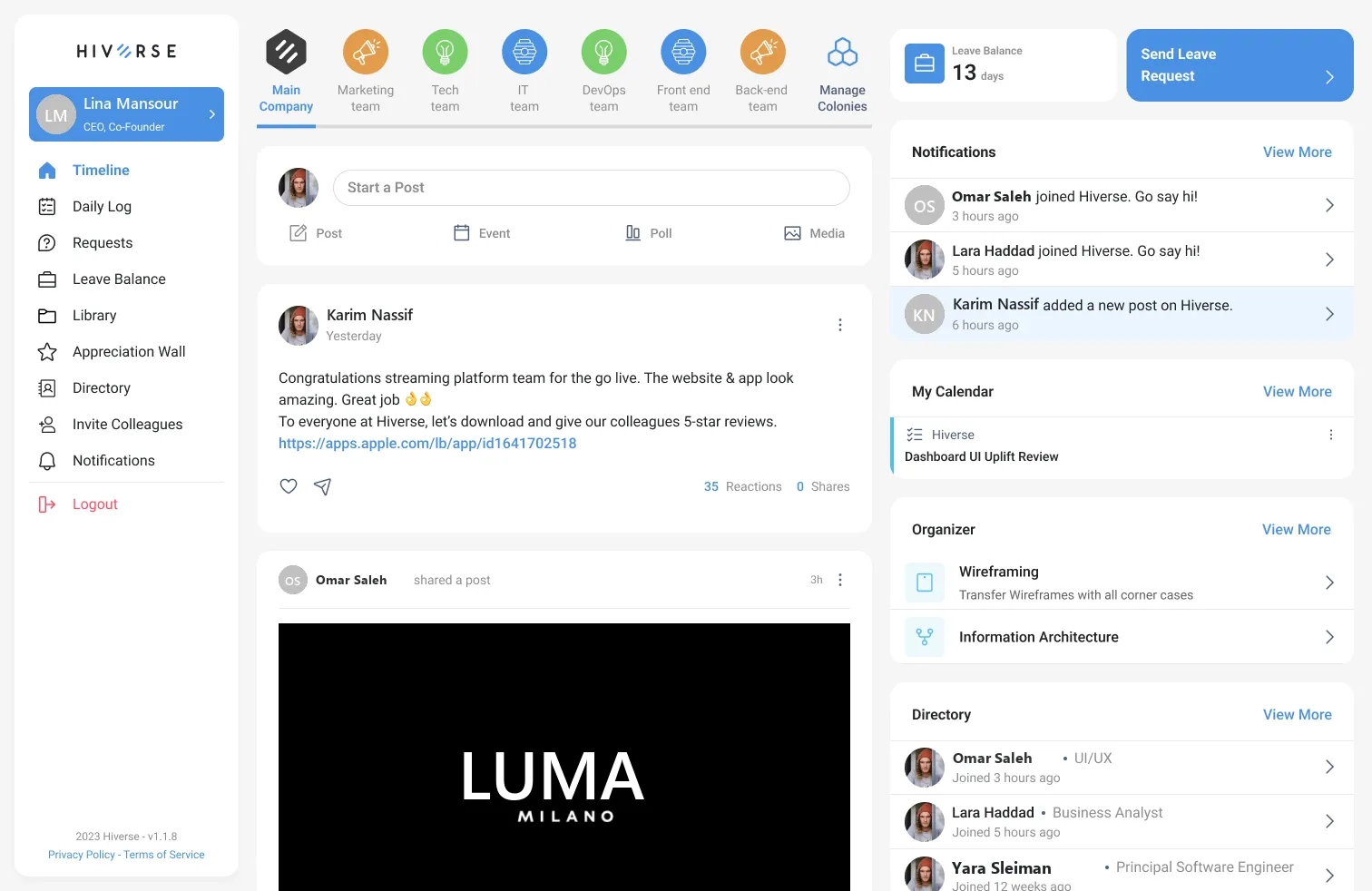
Hiverse web timeline with dashboard widgets: leave balance, notifications, calendar, organizer and directory

02Timeline & Colonies

A social wall that respects structure.

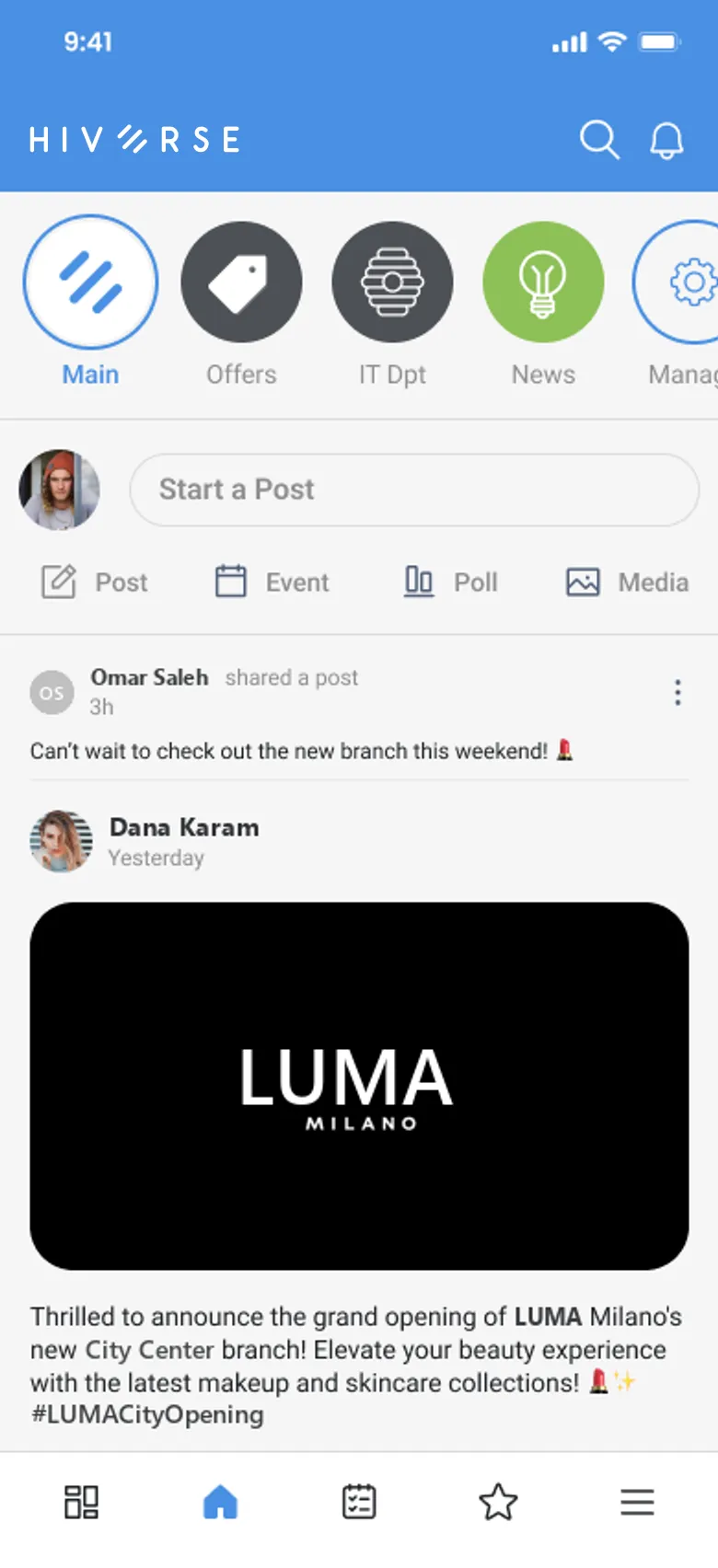
One company feed, plus colonies for teams, departments, projects and topics. Posts come as text, photo albums, media, polls (including image polls), events, job vacancies and shares. Tag people, set a priority, translate a post, RSVP to an event.

  • Company feed, colony feeds and “My wall”
  • Six reactions, comments, replies and shares
  • Polls, events with RSVP, vacancies with Apply & Refer
  • Post approval and membership requests per colony
Hiverse mobile timeline with colony shortcuts and posts

Poll · Design colony

Where should the Q3 offsite be?

  • Mountain lodge62%
  • Beach resort28%
  • City hotel10%

48 votes · Ends tomorrow

03Chat

Conversations that stay inside the company.

One-to-one and group rooms with typing indicators, online status, and sent / delivered / seen states. Send photos from the camera or gallery, share files, delete for yourself or for everyone, and back up your chats.

  • Direct and group rooms with unread counts
  • Photos, files and camera capture
  • Sent, delivered and seen receipts
  • Chat settings and backup

Design Team

Dana is typing…

12 members
  • Launch checklist is done — QA signed off 10 minutes ago 🎉09:41
  • Amazing. Posting the announcement on the company wall now.09:42
  • Can you add the store links? I’ll pin it in the Design colony.09:42
  • Done ✓ Also shared the release notes in Library → Android Documents.09:45
+Message…

04Daily Log & Organizer

Time tracking people actually keep up with.

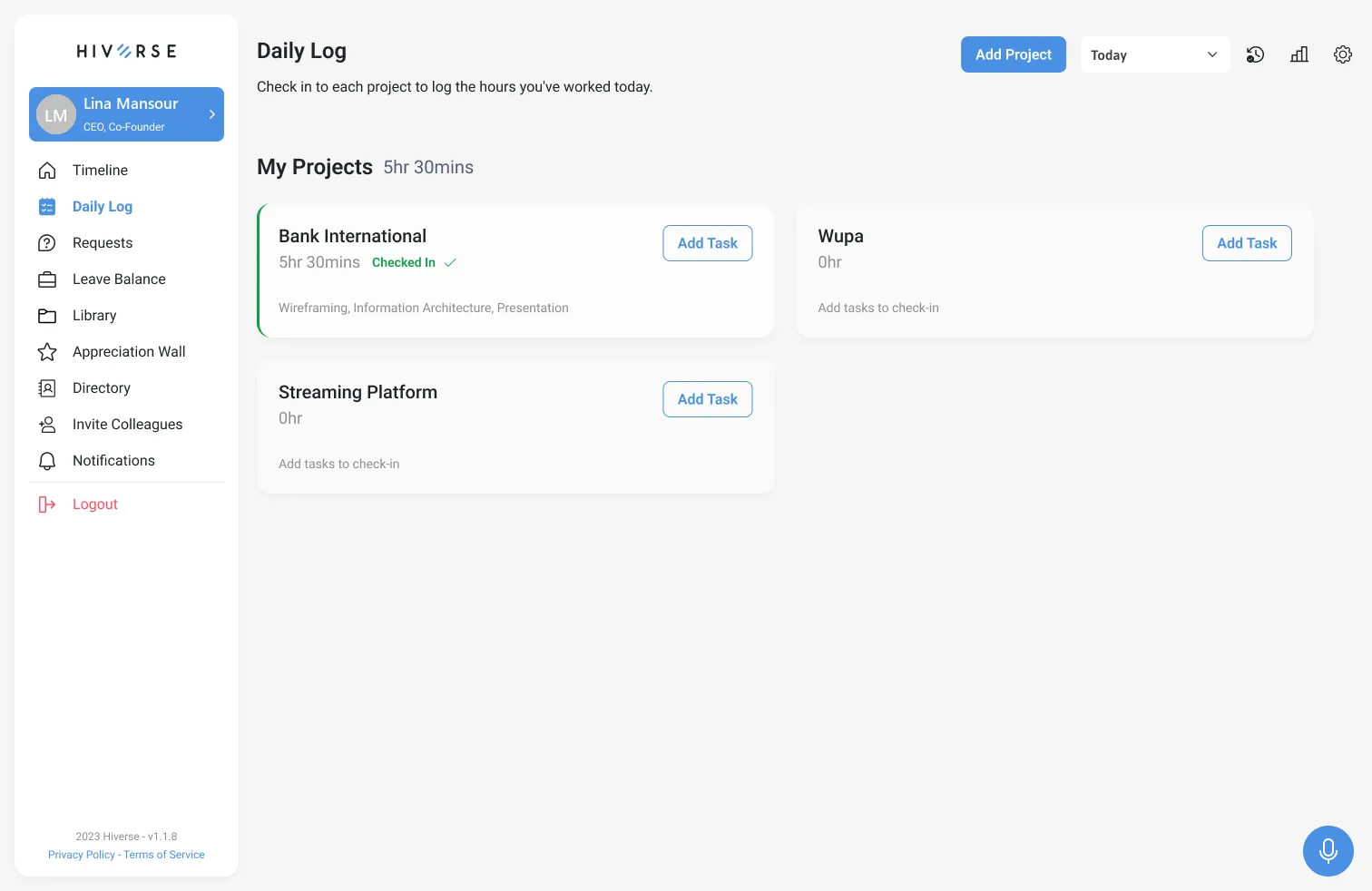
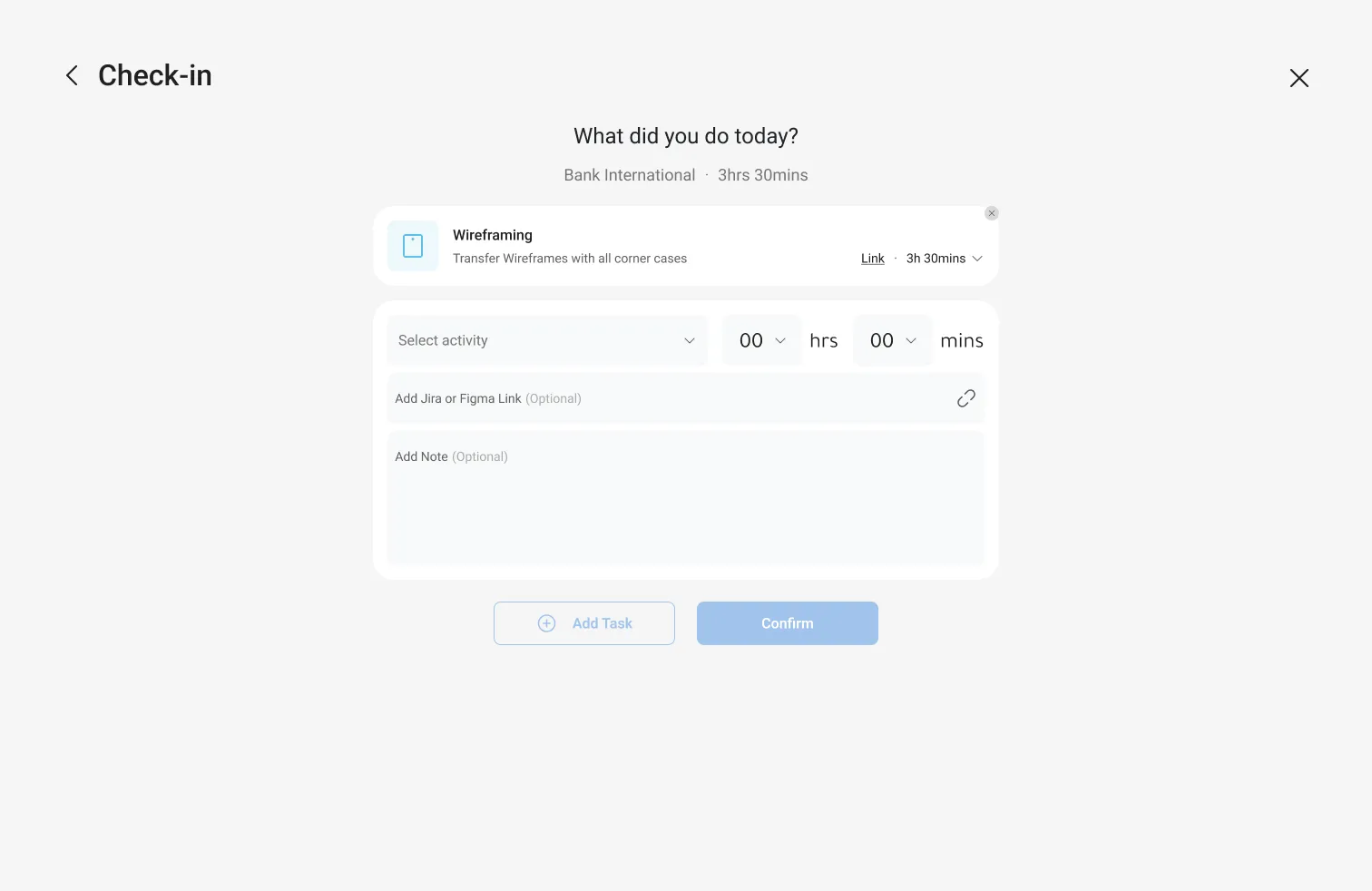
Check in per project — including client engagement projects — and log time in 15-minute steps, up to 12 hours per entry. Add activities with a Jira or Figma link and a note. Review any day in a monthly check-in calendar, export it, and let analytics turn it into hours per project and per skill.

  • Check in per project; work type, duration and country
  • Monthly check-in history with legend and man-day counter
  • Tasks, meetings, notes and alerts with due dates and assignees
  • Analytics: hours per project, time per skill, exportable tables
  • Calendar sync with Google, Outlook and Jira
Hiverse daily log with per-project check-in cards
Hiverse check-in sheet: activities, hours, Jira link and note

05Requests & Leave

HR requests with a real approval flow.

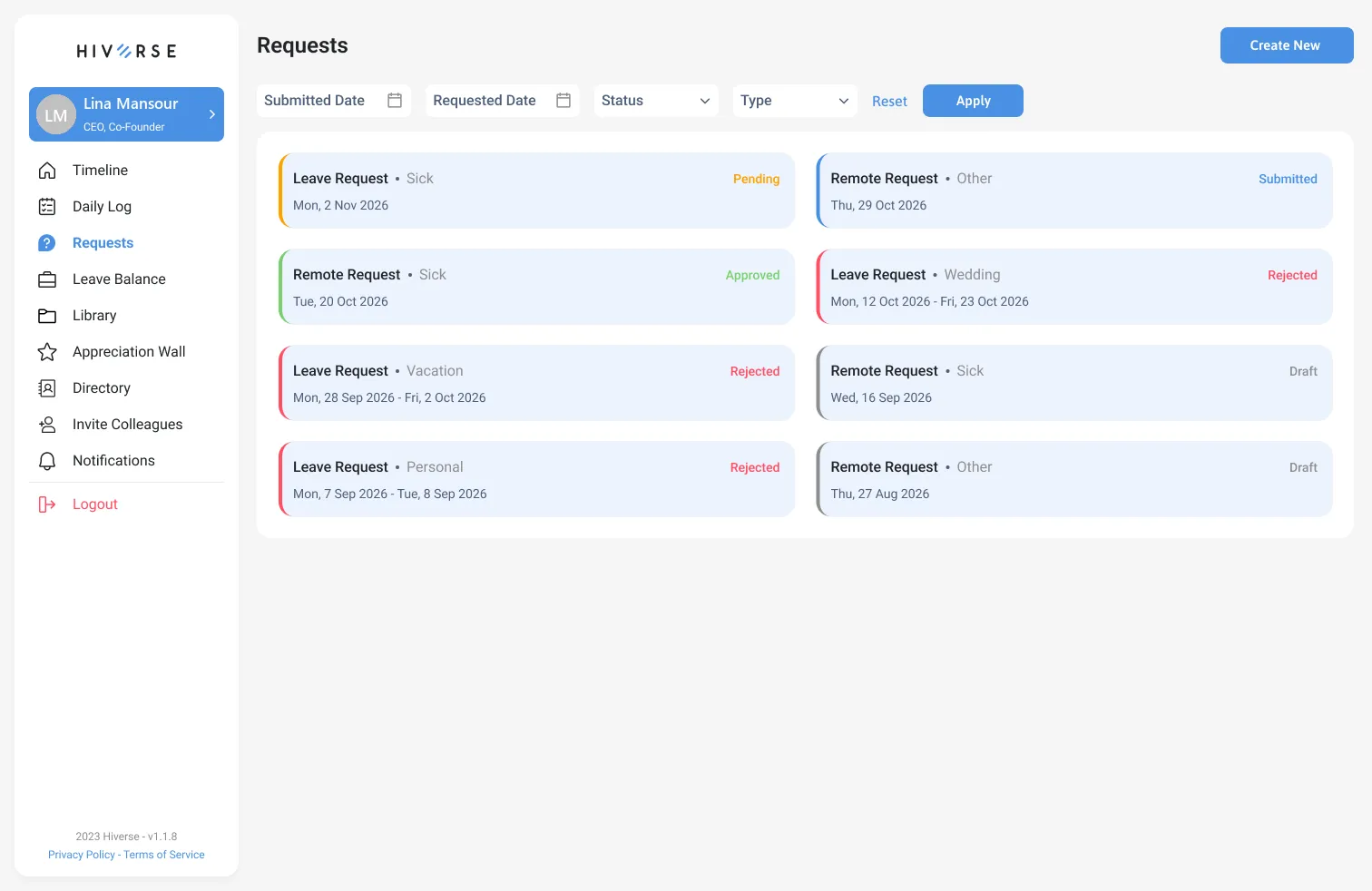
Leave, remote work, same-day leave and document requests (assurance, employment and recommendation letters, training certificates) run through dynamic forms your company configures. Save a draft, submit, track the status. Approvers get a filtered queue, can approve, reject, reassign or update status.

  • Leave types: vacation, wedding, sick, travel, other — full or partial day
  • Document requests with pickup status
  • Approver queue with progress counter and filters
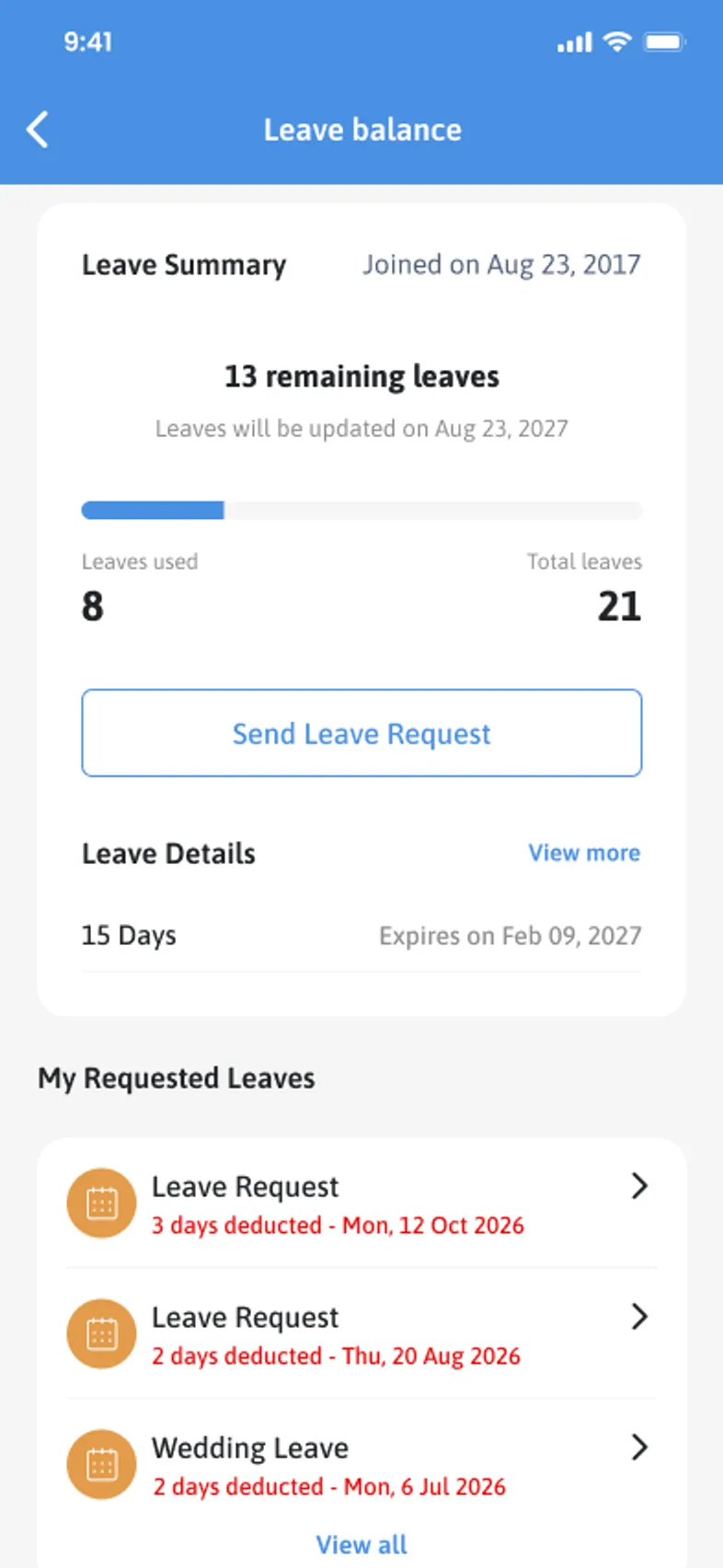
  • Leave balance: remaining, used, total, expiry per batch and refresh date
Hiverse requests list with status filters
Hiverse mobile leave balance

06Evaluations & KPIs

Performance reviews that run on templates.

Role-based KPI templates — Junior/Mid Developer, QA, Business Analyst and your own — with categories like Work Ethics, Communication, Attitude & EI, Teamwork, Attendance and Empowerment of Others. Each metric is scored out of 100 with a comment and a weight. Automatic reminders chase pending evaluations.

  • Dashboard counters: active, completed, in progress, overdue
  • Save progress or submit; days-left with overdue tracking
  • Overview tab across your reports
  • Results visible on the profile, with permission

Omar Saleh

UI/UX Designer · Mid Dev template · Quarterly

89

weighted / 100

  • Work Ethics · 20%92
  • Communication · 15%84
  • Attitude & EI · 15%88
  • Teamwork · 20%95
  • Attendance · 10%100
  • Empowerment of Others · 20%78
12 days left
Save progressSubmit

07Directory

Find people by what they know and love.

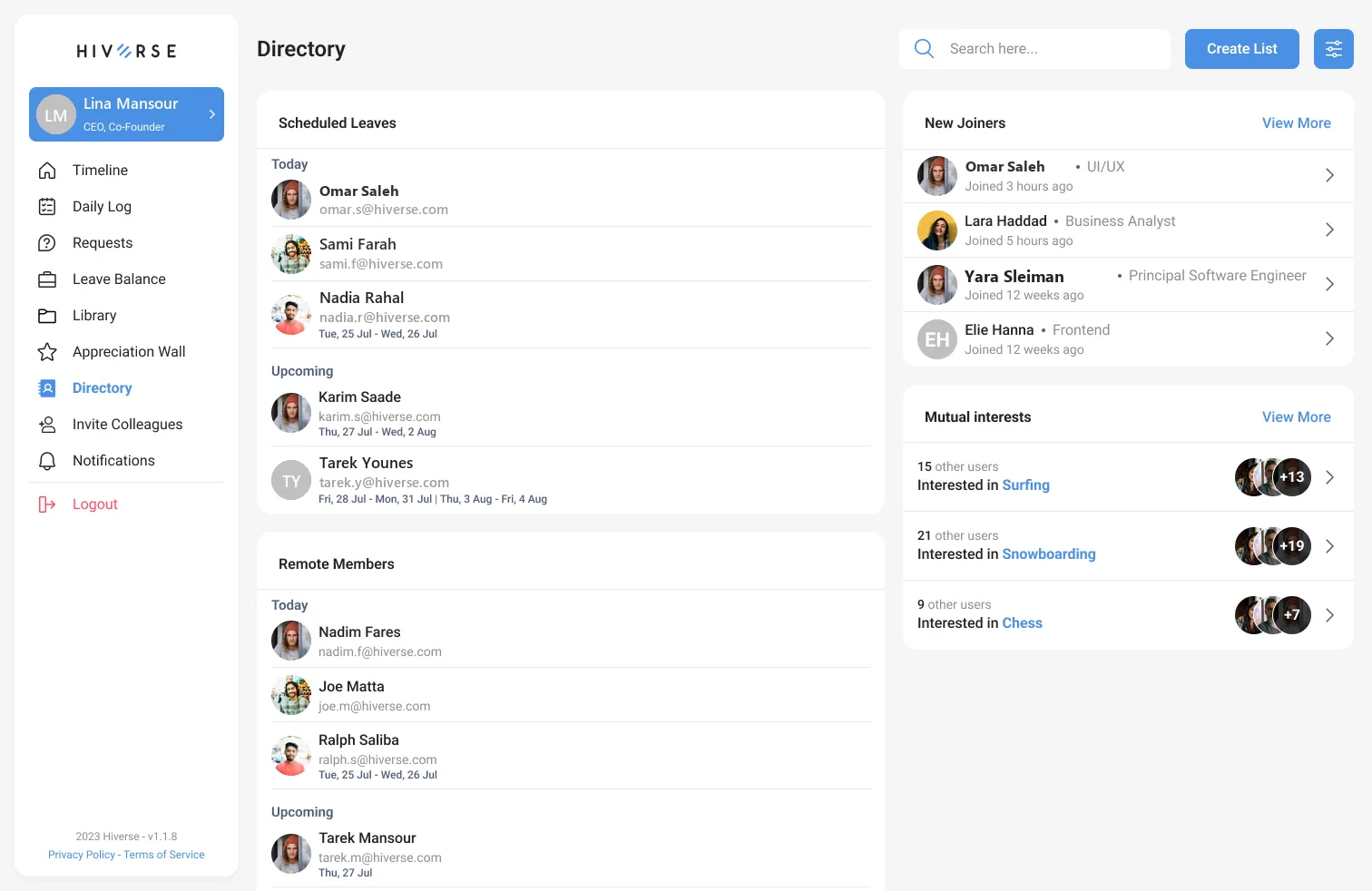
Search by name, job, skill or hobby. See who is on leave or remote today and upcoming, who just joined, and colleagues grouped by mutual interests. Advanced filters cover education, function, seniority, location, team, reports-to, experience, skills and personal fields.

  • Members on leave and remote members, today and upcoming
  • New joiners and mutual interests
  • Advanced filters served from your configuration
  • Personal lists you create and manage
Hiverse directory: scheduled leaves, remote members, new joiners and mutual interests

08Library

Documents with the right audience.

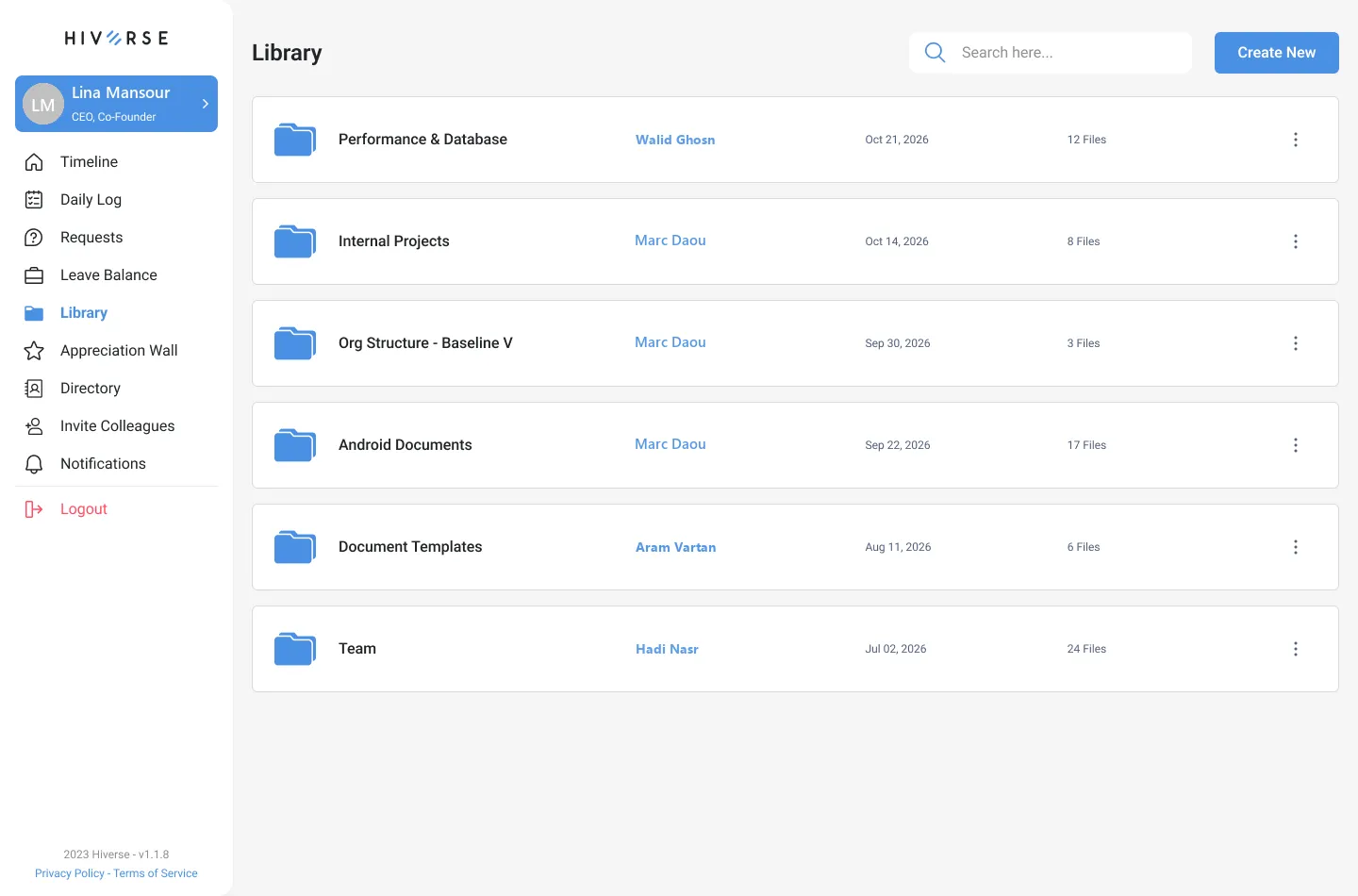
Browse cells (folders) by department or person, pin what you use, search everything. Open Google and Microsoft docs, zips and drive files. Create a cell in a four-step wizard and set visibility to public, a colony, selected members or only you.

  • Department and personal folders with owner and date
  • Pinned items and recent documents
  • Granular visibility per cell
  • Move cells, share and change settings
Hiverse library with department folders and per-folder actions

09Profile

One profile, approved changes.

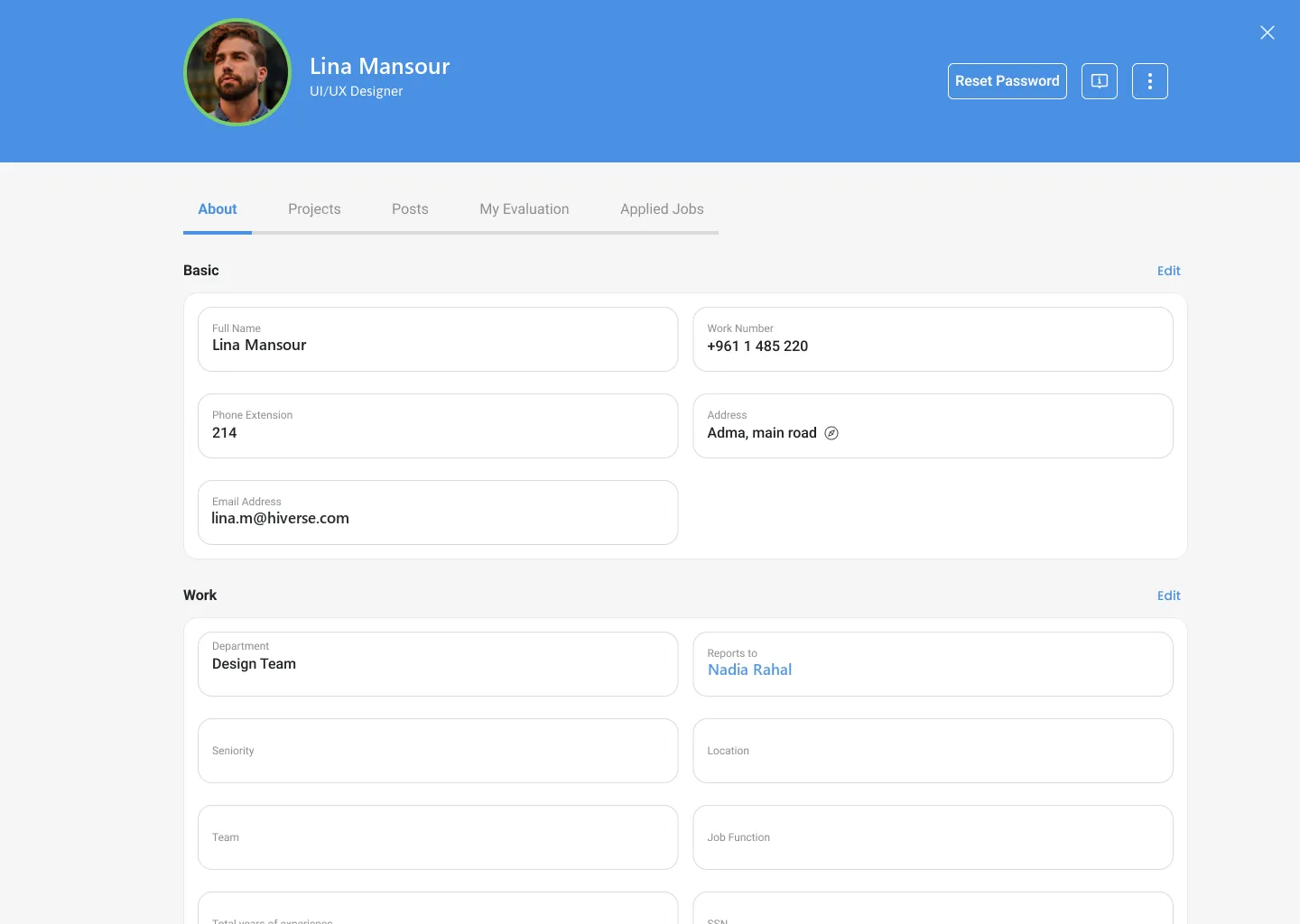
Basic info, education, work, skills, personal details, bio and next of kin — each block editable, each change routed through profile approval if your company requires it. See your projects, evaluations, applied jobs and posts, reset your password and share a business card.

  • Editable blocks with approval flow
  • Work-type breakdown: remote vs office
  • My projects, my evaluations, applied jobs
  • Business card and reset password
Hiverse profile with editable basic and work information

10Appreciation Wall

Recognition the whole company sees.

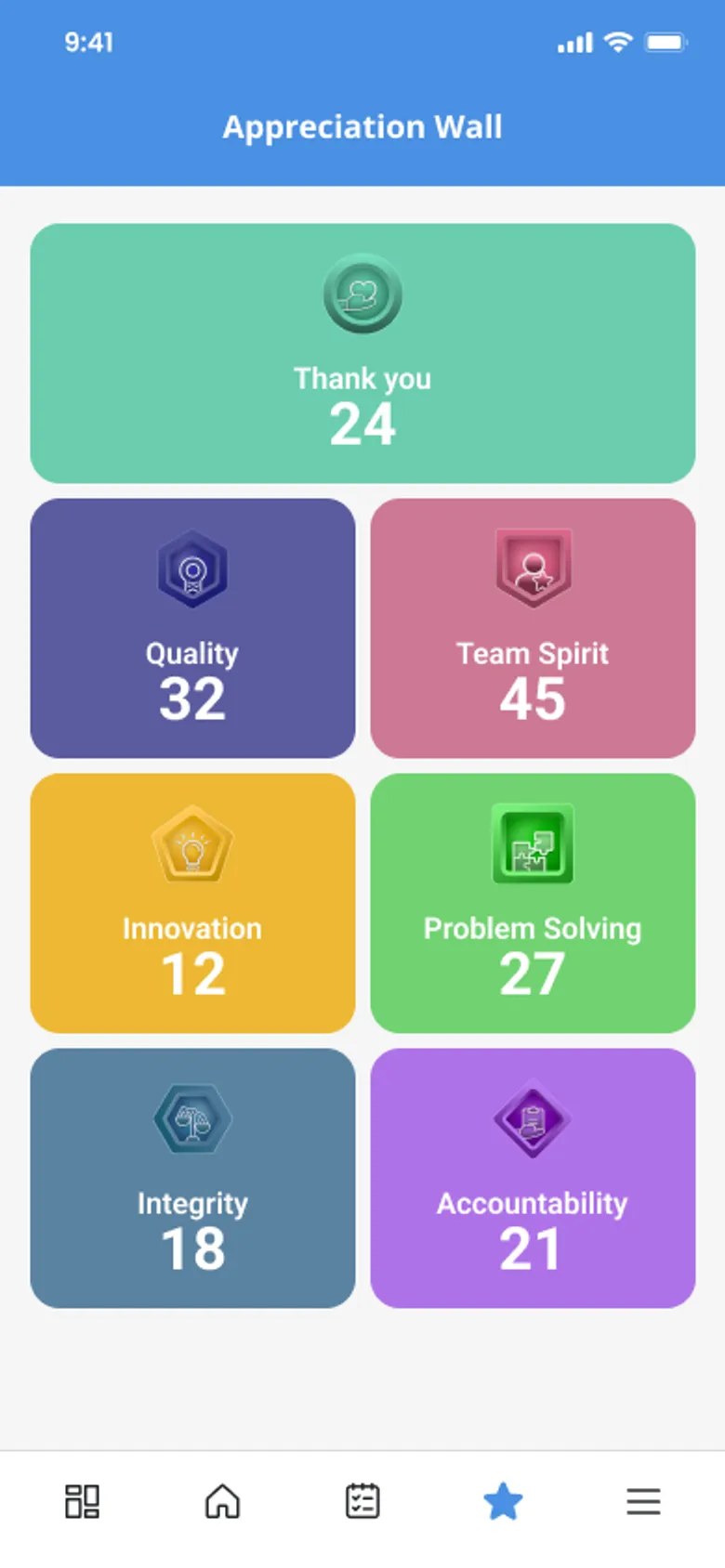
Send Thank-You notes and value badges — Quality, Accountability, Team Spirit, Innovation, Problem Solving, Integrity — to a colleague. Received and Sent tabs, likes and comments on each recognition, and seasons to group it all.

  • Thank-you notes and six value badges
  • Received and sent tabs
  • Likes and comments
  • Seasons and badge statistics
Hiverse appreciation wall with value badges

11Job Vacancies

Hire from the inside first.

Openings appear on the wall and in the public careers area. People apply through a dynamic form, refer a friend or share the vacancy. Applications show up under Applied Jobs on the profile.

  • Vacancy posts on the timeline
  • Apply with a dynamic form
  • Refer a friend and share
  • Applied Jobs on the profile

Human Resources

Company · Job vacancy

Open

Internal opening

Senior Product Designer

Design Team · Hybrid or remote · Full-time

  • Figma
  • Design systems
  • Mobile
  • 5+ years
ApplyRefer a friend14 applied · 6 referrals

12Notifications, invitations & settings

The small things, done properly.

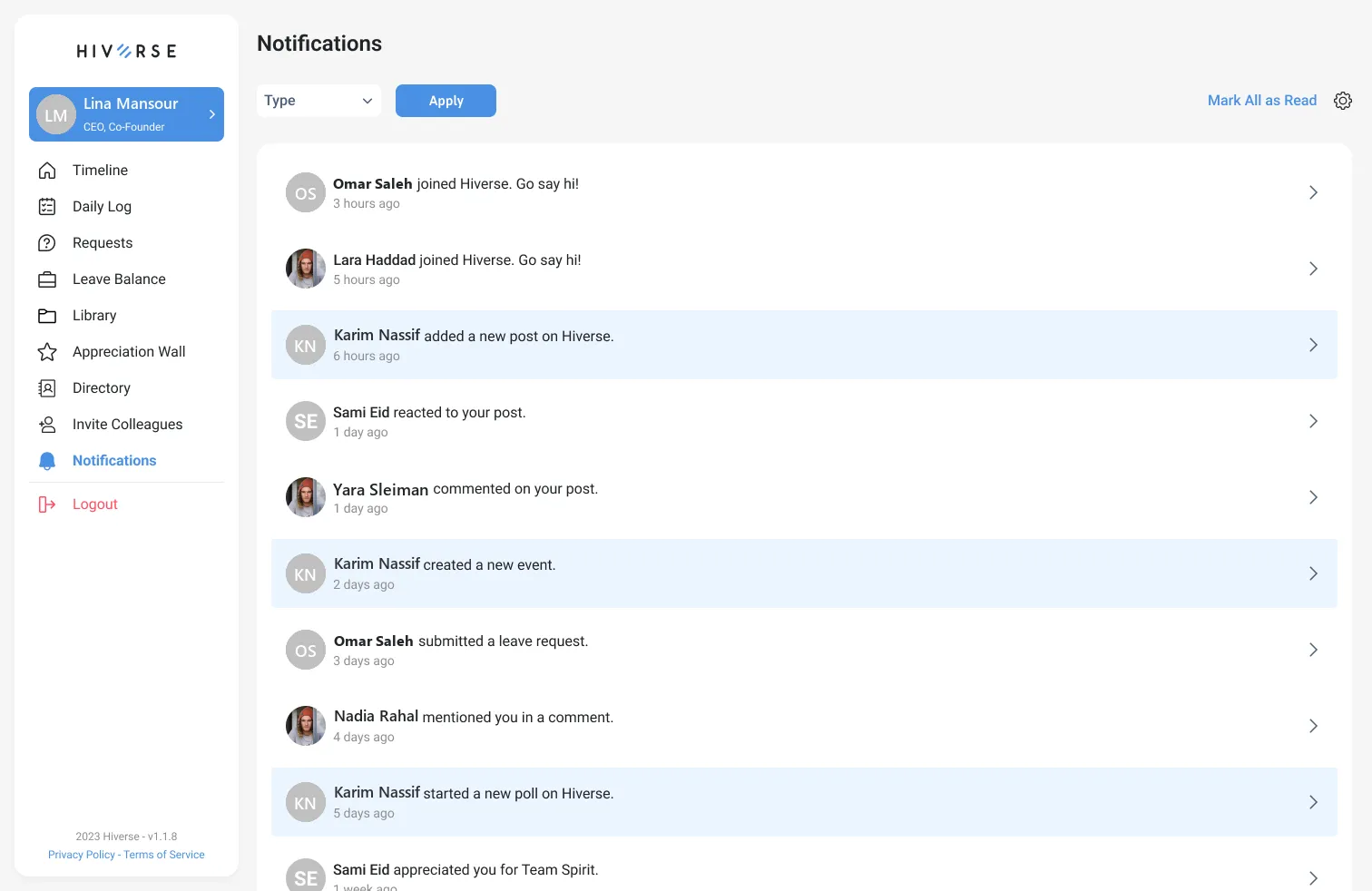
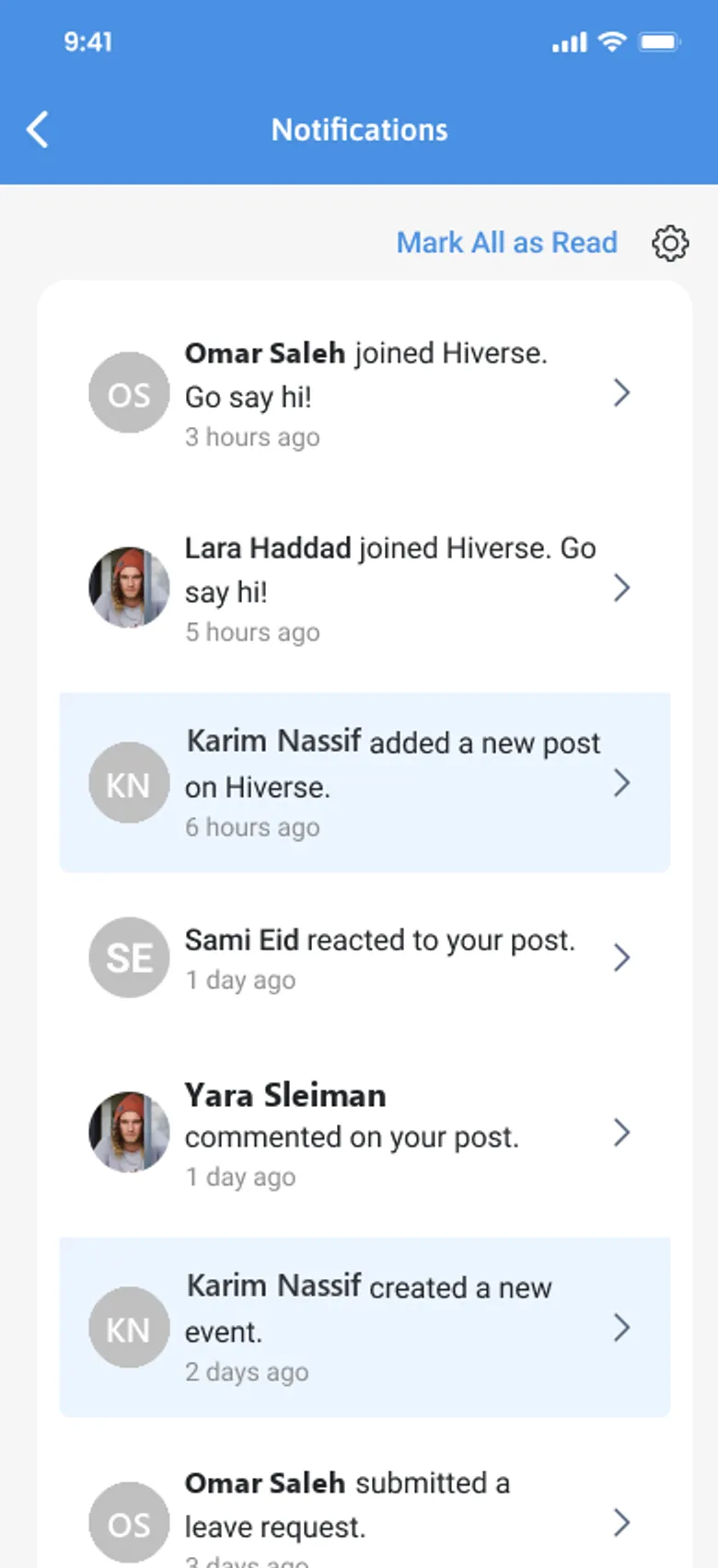
Notifications with type filters and mark-all-as-read. Invite colleagues by email or a shareable message, plus guest invites. Biometric login, calendar sync, notification preferences, tutorial replay, contact us and delete account — all in Settings.

  • Notification types and settings
  • Invite colleagues and guests
  • Biometric login
  • Company-defined dynamic links in the More menu
Hiverse notifications with type filter
Hiverse mobile notifications

Start your day on Hiverse.

Tell us about your team and we will set up a personalized walkthrough.